
No products in the basket.

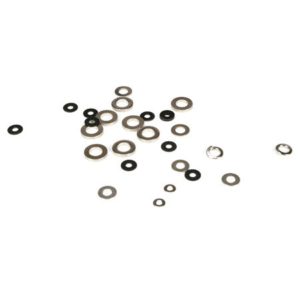
TLR Shock Limiter Set, 3.5mm Shaft: 22 Z-TLR5096
Original price was: £8.99.£8.09Current price is: £8.09.Save £0.90
Out of stock Product is not in our store or currently available from our supplier. The item can still be ordered but lead times will vary.
Description
Description
.tab{padding-left:3px;padding-right:3px;}.tablinks { font-family: Arial; display:inline-block; color:white; float: left; cursor: pointer;text-align: center; width: 20%; padding-top: 5px; padding-bottom: 5px; font-size: 14px; border-top: 1px solid grey; border-left: 1px solid grey; border-right: 1px solid grey; border-radius: 5px 5px 0px 0px; position: relative; bottom: -1px;border-box:box-sizing;}.tablinks.active{ font-weight: bold; border-top: 1px solid red; border-left: 1px solid red; border-right: 1px solid red; border-bottom: 1px solid black; border-radius: 5px 5px 0px 0px; position: relative; bottom: -1px;}.tablinks:hover { background-color: red; /* For browsers that do not support gradients */ background-image: linear-gradient(to bottom , #383838, #000000);}.tabcontent { padding: 6px 12px; color: white; border-top: 1px solid red;}.clearfix { content: “”; clear: both; display: table;}@media only screen and (max-width: 600px) {.tablinks {width: 33.3333%; font-size: 12px;box-sizing:border-box;}}
Overview
Spares
Options
Overview
Standard content page as we currently have it
Spares
Put all the spares here
Options
Put all the Option parts here
function openTab(evt, openTab) { var i, tabcontent, tablinks; tabcontent = document.getElementsByClassName(“tabcontent”); for (i = 0; i < tabcontent.length; i++) { tabcontent[i].style.display = "none"; } tablinks = document.getElementsByClassName("tablinks"); for (i = 0; i < tablinks.length; i++) { tablinks[i].className = tablinks[i].className.replace(" active", ""); } document.getElementById(openTab).style.display = "block"; evt.currentTarget.className += " active";}// Get the element with id="defaultOpen" and click on itdocument.getElementById("defaultOpen").click();
Fits these models
Specification
Specification
| Distributor | Logic RC |
|---|---|
| Model | Losi 22S No Prep Drag Roller |
Reviews
Only logged in customers who have purchased this product may leave a review.




Reviews
There are no reviews yet.